Dash Eat

How it works

From plate to Diary, in three steps

Dash Eat is built for logging fast, not for perfection. Here's what happens at each step.

1. Find your meal

Four ways in, depending on what you have to hand.

  • Search (free): more than 3,400 foods from the Ciqual table, with everyday portions.
  • Barcode (free): point at the pack and the product appears (Open Food Facts).
  • Recipes (free): 796 dishes from 26 cuisines, and your home-made dishes worked out from their ingredients.
  • Photo or voice (Pro): snap the plate, or say "a burger and chips".
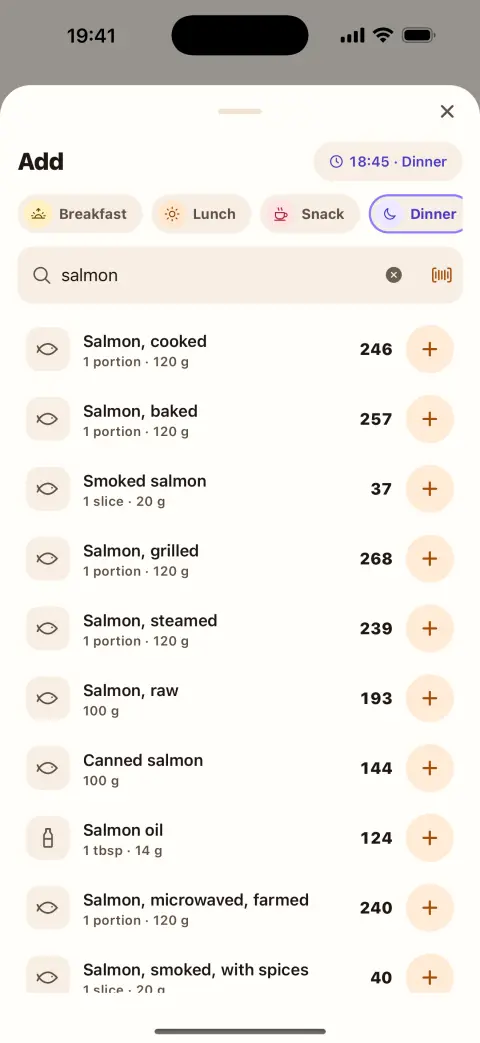
The Add screen with search and the barcode button

2. Correct the estimate

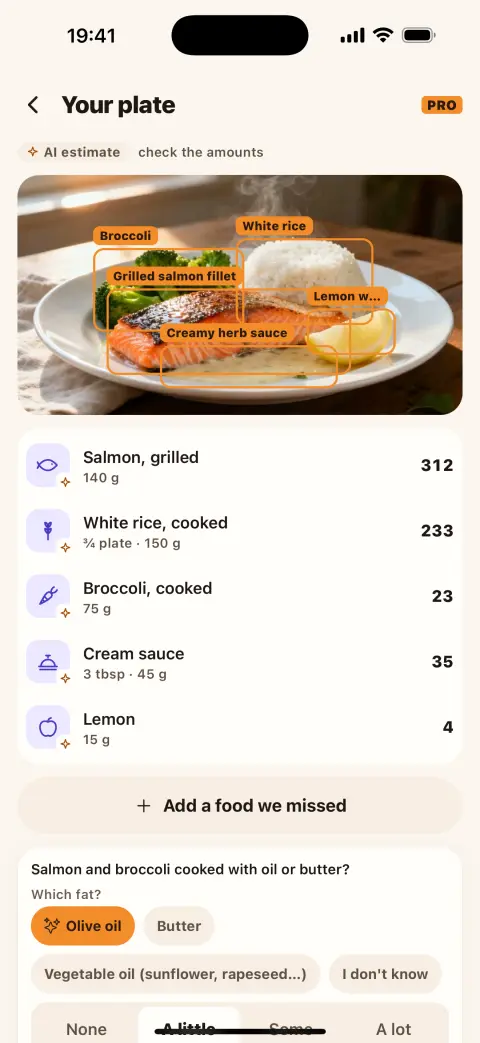
With photo or voice, AI suggests the foods and their amounts, marked "AI estimate". Change an amount, say which fat it was cooked in, add a food it missed. Nothing is added until you confirm.

The Your plate screen with the AI estimate label and amounts you can change

3. See where you stand

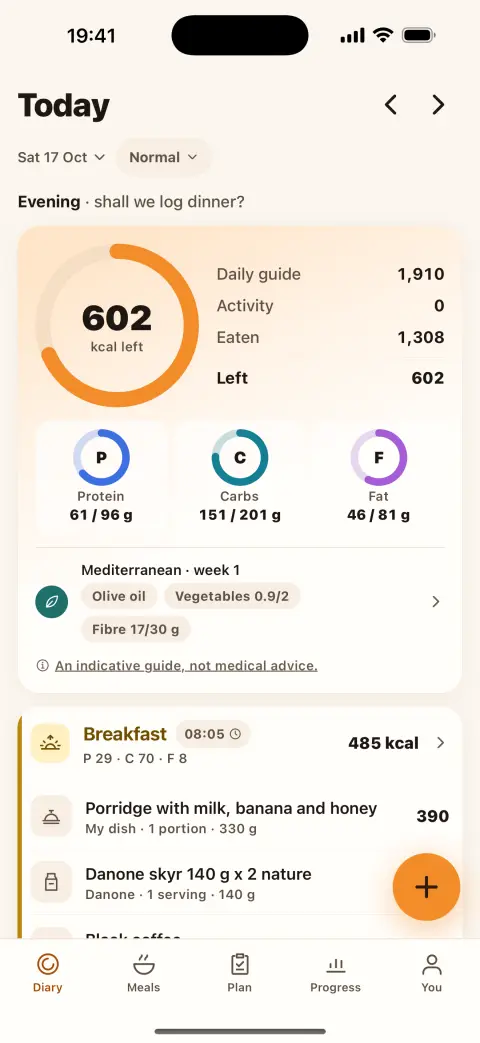
The Diary shows what's left for the day, your protein, carbs and fat, and your week. A day you didn't log stays "not logged", never 0 kcal.

The Diary with kcal left and the macros

Where the numbers come from

Foods come from France's Ciqual table (ANSES), packaged products from Open Food Facts, and your own foods from their labels. Values are still estimates: a portion, a recipe or a photo is never exact to the gram.

Your daily guide

It is worked out from your goal, with safety limits: never a pace faster than 1% of your weight a week, and an optional target weight. Calorie guides are for people aged 16 and over.

Your plate is waiting

Free on iPhone. Android is coming soon.

Download on the App Store Coming soon to Google Play