
Turning it on
- Open You → My fasting.
- Choose "From sunrise to sunset (Ramadan)".
- Enter your city, or use your approximate location.
Fasting and Ramadan
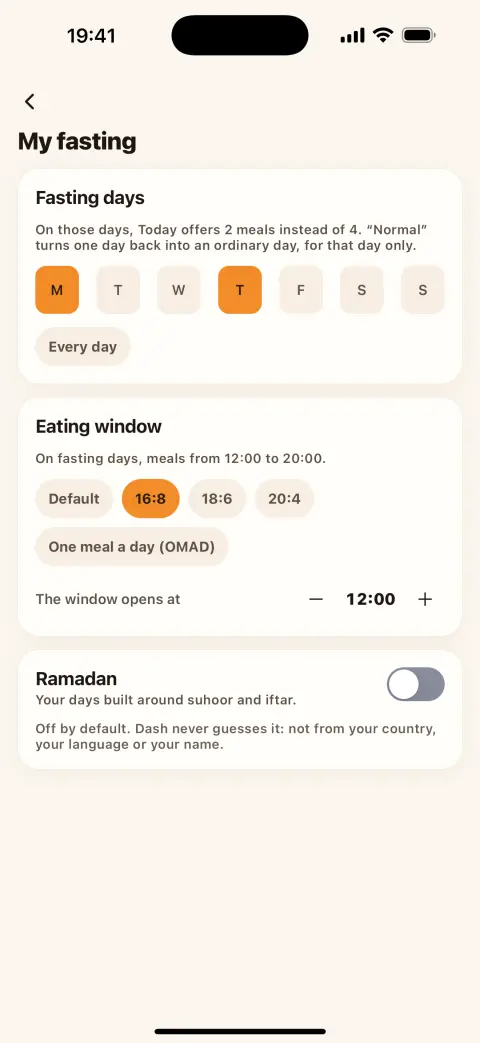
Dash Eat has a fasting mode from Fajr to Maghrib. It is off by default and never turns itself on: not from your country, your language or your name.
Fajr and Maghrib for your city are worked out on your phone, with the calculation method you choose.
Use an approximate location, or just type your city's name: then no permission is asked at all.
Your meals are arranged around suhoor, iftar and the evening. A fasting day never counts as "missed".
Ramadan mode is part of what stays free, forever.
Ramadan is one kind of fast among others: now and then, set days of the week, an eating window (16:8, 18:6, 20:4) or one meal a day.
Fasting isn't right for everyone. Talk to a doctor before fasting, especially if you are pregnant or breastfeeding, have diabetes, another condition or take medication.
No. It is off for everyone and turns on only if you choose it in You → My fasting.
No. You can type your city's name. If you'd rather use your location, it stays approximate, is used only to work out the times and stays on your phone.
No, it is free, forever.

Free on iPhone. Android is coming soon.
 Coming soon to Google Play